LlamaIndex
开发者优先的智能体框架,RAG 与文档智能领军者,MIT 许可,Python/TS 双 SDK。
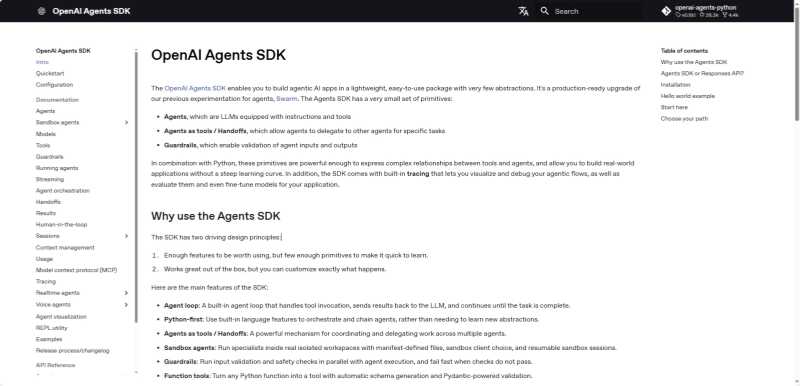
轻量多智能体框架,Handoffs/Guardrails/Sessions/Tracing 原语,MIT许可,Python/TS双语言。
 OpenAI Agents SDK
OpenAI Agents SDK 是 OpenAI 推出的轻量级、生产就绪的多智能体工作流框架,它是 OpenAI 早前实验性项目 Swarm 的生产级升级版 。
SDK 的设计哲学是”足够好用但原语极少“——只有 Agent、Handoffs、Guardrails 等少量核心概念,开发者用常规 Python/TypeScript 代码即可编排复杂多智能体关系,无需学习新的图抽象或 DSL 。
它适合需要运行时管理多轮对话、工具执行、护栏校验、智能体交接、会话保持的 Agent 应用。
OpenAI Agents SDK 于 2026 年初作为独立库发布,脱离 Assistants API 体系,采用 MIT 开源协议 。框架提供 Python(3.10+)与 JavaScript/TypeScript(Node.js 22+)双语言版本,两者共享相同的核心概念 。SDK 默认使用 OpenAI Responses API 调用模型,但通过 LiteLLM 等适配层支持 100+ 其他 LLM 。
v0.14.0 起引入 Sandbox Agents(沙箱智能体),支持在隔离的容器/文件系统工作区中执行长时间任务 。截至 2026 年 4 月,PyPI 最新版本 0.14.2,GitHub 约 19.4K Star 。
AI 应用开发团队、后端工程师、全栈团队。特别适合:多智能体路由系统(客服分流、专家分发)、需要 Handoff + Guardrails + Tracing 的生产级 Agent 应用、语音智能体(Realtime Agents)、使用 Python/TypeScript 且希望避免重图抽象的团队、已采用 OpenAI 模型生态的项目。
前提条件
Requires: Python >=3.10)快速安装
# 创建虚拟环境(推荐)
python -m venv .venv
source .venv/bin/activate   # Windows: .venv\Scripts\activate

# 安装核心包
pip install openai-agents

# 语音支持(可选)
pip install 'openai-agents[voice]'

# Redis 会话支持(可选)
pip install 'openai-agents[redis]'

# 沙箱支持(可选,Windows 下使用 Docker 沙箱客户端)
pip install 'openai-agents[docker]'
使用 uv:
uv init
uv add openai-agents
验证安装:Hello World
import asyncio
from agents import Agent, Runner

agent = Agent(name="Assistant", instructions="You are a helpful assistant")

result = Runner.run_sync(agent, "Write a haiku about recursion in programming.")
print(result.final_output)
运行前设置 API Key:
export OPENAI_API_KEY=sk-...
多智能体交接(Handoff)示例
import asyncio
from agents import Agent, Runner, handoff

# 专家智能体
billing_agent = Agent(
    name="Billing",
    instructions="You handle billing questions: invoices, payments, refunds, and subscription changes.",
)
technical_agent = Agent(
    name="Technical",
    instructions="You handle technical support: API errors, integration issues, and debugging.",
)

# 路由智能体——分类请求并交接给专家
triage_agent = Agent(
    name="Triage",
    instructions=(
        "You are the front-line support agent. Determine what the user needs "
        "and hand off to the appropriate specialist."
    ),
    handoffs=[billing_agent, technical_agent],
)

async def main():
    result = await Runner.run(triage_agent, "I got a 429 error when calling the API")
    print(result.final_output)

asyncio.run(main())
# 输出将由 technical_agent 生成——用户无感知交接过程
输入护栏(Guardrails)示例
import asyncio, re
from agents import Agent, Runner, InputGuardrail, GuardrailFunctionOutput

async def check_for_pii(ctx, agent, input_data) -> GuardrailFunctionOutput:
    """拦截包含邮箱或电话的输入"""
    text = input_data if isinstance(input_data, str) else str(input_data)
    has_email = bool(re.search(r'[\w.-]+@[\w.-]+\.\w+', text))
    has_phone = bool(re.search(r'\b\d{3}[-.]?\d{3}[-.]?\d{4}\b', text))
    return GuardrailFunctionOutput(
        output_info={"has_pii": has_email or has_phone},
        tripwire_triggered=has_email or has_phone,
    )

agent = Agent(
    name="Safe Agent",
    instructions="You are a helpful assistant.",
    input_guardrails=[InputGuardrail(guardrail_function=check_for_pii)],
)

try:
    result = Runner.run_sync(agent, "My email is user@example.com, help me reset my password")
except Exception as e:
    print(f"Blocked: {e}")
使用沙箱智能体(Sandbox Agent):
from agents import Runner
from agents.run import RunConfig
from agents.sandbox import Manifest, SandboxAgent, SandboxRunConfig
from agents.sandbox.entries import GitRepo
from agents.sandbox.sandboxes import UnixLocalSandboxClient

agent = SandboxAgent(
    name="Workspace Assistant",
    instructions="Inspect the sandbox workspace before answering.",
    default_manifest=Manifest(entries={"repo": GitRepo(repo="openai/openai-agents-python", ref="main")}),
)

result = Runner.run_sync(
    agent,
    "Inspect the repo README and summarize what this project does.",
    run_config=RunConfig(sandbox=SandboxRunConfig(client=UnixLocalSandboxClient())),
)
print(result.final_output)
Windows 用户请使用
DockerSandboxClient(需安装openai-agents[docker]额外依赖)代替UnixLocalSandboxClient。
使用 100+ LLM(通过 LiteLLM):
pip install 'openai-agents[litellm]'
Python:
from agents import Agent, Runner
from openai import AsyncOpenAI

# 通过 LiteLLM 适配任意支持的模型
agent = Agent(
    name="Assistant",
    instructions="You are a helpful assistant.",
    # 配置对应的模型客户端
)
使用 Ollama 本地模型
参考社区 LiteLLM 适配方案,将 Ollama 端点作为 OpenAI 兼容接口接入 Agents SDK 即可。